


AAFP
3.582.00 Reviews
App Specs
- Version
- 4.2.1
- Updated On
- License
- Free
- Downloads
- 10,000+
- Developer
- American Academy of Family Physicians
- Categories
- Medical
- Platform
- Android
Screenshots
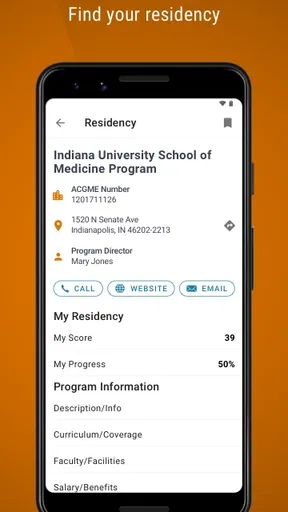
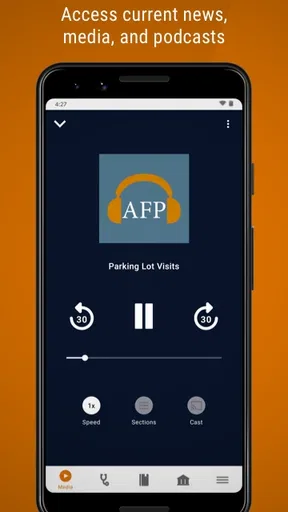
 Analysis by AppCompare
When a professional app seems to have everything in one place, the first challenge is often figuring out where to begin. I found that AAFP makes the most sense when I treat it as a mobile doorway to family-medicine reading and professional learning, rather than expecting it to replace every clinical reference or workflow tool on my phone. That distinction matters: it can help me keep up with material from the American Academy of Family Physicians, but it is not the right choice for someone looking for a general symptom checker or a complete point-of-care system.
Where the first snags can happen
The published experience of the app points toward a familiar starting step: signing in with AAFP credentials. For an existing member, that is a reasonable way to reach member-oriented resources, but it also means setup depends on having the right account details ready. I would check that I am using the credentials associated with my AAFP access before assuming that the app itself is failing. A mistyped password or an account issue can feel like an app problem even when the issue is simply at login.
It is also worth setting expectations before opening it. AAFP is a medical app from the American Academy of Family Physicians, and its focus is journals, continuing education and professional news. The audience is therefore narrower than the audience for a broad medical encyclopedia: it is most useful to family physicians, residents and medical students who want to follow professional material, not to patients seeking personal treatment advice.
Small checks that make setup easier
I would start by confirming that the device meets the app’s minimum operating-system requirement, then make sure the app is updated to version 4.2.1. These are simple checks, but they can save time when an app will not open or behaves differently than expected. The app is free to download, though it includes in-app purchases ranging from $5.99 to $399.99 per item, so I would review any purchase details carefully before committing to paid content.
The audience rating is Everyone, but that describes the app’s content classification; it does not mean its material is aimed at every reader. The professional subject matter is most valuable to people working or studying in family medicine. If I were setting it up for a new device, I would also keep my login information handy and allow a moment to orient myself rather than expecting the first screen to explain every resource in depth.
A practical way to recover a stalled workflow
If a page or resource does not appear as expected, I would take a basic, low-risk route: return to the main screen, check that I am still signed in, close and reopen the app, and try again. If the problem persists, I would check for an available update and confirm that the device still meets the minimum operating-system requirement. This sequence does not assume a particular technical fault; it simply separates a temporary interruption from a sign-in or compatibility issue.
For a busy day, I would also avoid relying on the app as the only place I keep track of an important professional task. If I am looking for a journal item or planning continuing education, I would note what I need to return to and give myself time to find it before a clinic session or class begins. That is especially sensible for any mobile resource: a phone is convenient, but a small screen and interruptions can make a longer reading session less comfortable than using a larger device.
Worth Reading Before You Choose

Flipboard Shows What News Apps Must Do Beyond the Feed

Switching to Android Auto Means Rethinking Your Driving Routine

Google Calendar Makes a Crowded Week Easier to Manage

Ludo King Makes the Most of the Minutes Between Plans

Baby Panda World Brings Quick Play to Modern Phones, but Its Game Library Feels Busy

ESPN’s Live Game View Makes Following Close Games Easier
When the app may not be the cause
Not every missing result points to a software defect. A sign-in problem may relate to account access, while a resource that is difficult to locate may reflect how the material is organized or how specifically I have searched. The earlier experience of using the app found the general navigation straightforward, but also identified a more robust search function as a possible improvement. I would keep that trade-off in mind: browsing may work well for exploring, while a precise search can matter more when I am in a hurry.
Likewise, a professional news feed is useful only if its subjects match what I want to follow. If a story or update feels irrelevant, I would review the interests I have chosen before deciding that the app has little value. And if my immediate need is a patient-specific clinical decision, I would turn to an appropriate clinical reference and my professional judgment rather than treating a news, journal or CME app as a substitute for care guidance.
Using AAFP as a professional companion
The first thing you'll notice about the AAFP app is its clean and intuitive design. It’s incredibly user-friendly, which is a breath of fresh air in the world of medical apps that often feel clunky. Navigating through the app was a breeze, and I had no trouble finding what I was looking for.
Setting it up was straightforward. A simple login with your AAFP credentials, and you're good to go. Once logged in, the dashboard provides quick access to everything you need, from medical journals to CME opportunities.
Features That Stand Out
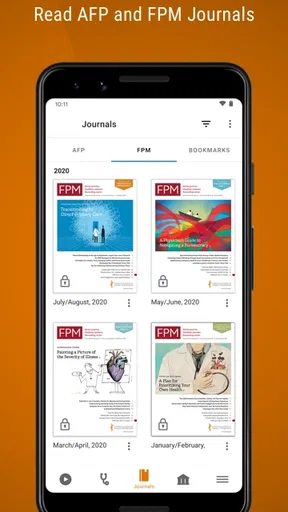
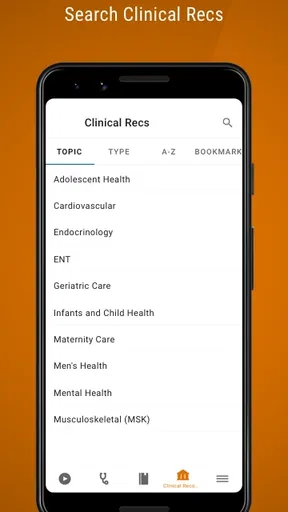
One of the standout features of the app is the library of resources. It’s packed with journals, clinical guidelines, and educational materials, all organized neatly for easy access. For someone constantly on the move, having this wealth of information accessible on my phone is a game-changer.
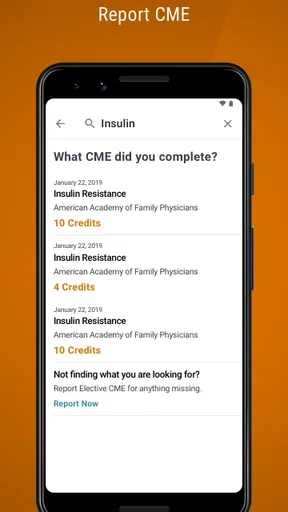
The app also offers a CME tracker, which is fantastic for keeping tabs on your continuing education credits. You can track your progress, find upcoming CME events, and even register directly through the app. It’s all about making life easier for busy professionals.
Another feature I found particularly useful is the ability to customize your news feed. You can tailor it to your interests, ensuring that you only see the most relevant updates. The app does a great job of keeping you informed without overwhelming you with information.
User Experience
One of the things I appreciated most about the app is how smoothly it runs. There were no glitches or crashes, which can be a common issue with other medical apps. The AAFP app clearly prioritizes efficiency and reliability.
Another aspect that deserves a mention is the seamless integration with other AAFP resources. Whether it's accessing the latest research or connecting with peers at conferences, the app ties everything into a cohesive experience.
Room for Improvement
While the app is impressive, there's always room for improvement. For instance, I would love to see more interactive features, like forums or discussion boards, where members can share insights and experiences. Additionally, while the app is rich in resources, a more robust search function could make it easier to find specific information more quickly.
Choosing the right role for the app
A useful everyday scenario is a resident with a short break between appointments who wants to catch up on family-medicine reading, then make a note to complete a learning activity later. In that situation, the app’s combination of journals, professional updates and CME-related material can make a phone a convenient place to resume that routine. I would use the feed for quick scanning and reserve longer, more focused reading for a quieter moment; that keeps a brief check-in from turning into an unplanned scroll.
For a practicing family physician, the strongest case is professional continuity: checking relevant updates, keeping learning activity visible and having AAFP material close at hand. For a student, it can offer a route into the issues and education associated with family medicine. It is less compelling for someone outside that community, or for anyone whose main goal is medication lookup, diagnostic support, appointment management or patient communication. Those needs call for tools built around those specific jobs.
Compared with a general medical reference app, AAFP has a more focused professional identity. A broad reference is usually the better first stop when I need to look up a clinical topic quickly across many specialties. AAFP is a better fit when I want material connected to family medicine and professional development. Compared with reading the organization’s resources only on a computer, a phone app is easier to check in short intervals, though the smaller screen is not ideal for every long article. I see it as a companion to, not a replacement for, a larger-screen reading setup or a dedicated clinical reference.
Making the most of brief visits
One practical tip is to decide what I want from a session before opening the app: catch up on news, find a particular educational resource or check my CME progress. That small habit can make a broad collection feel more manageable, especially when I only have a few minutes. If I am exploring rather than looking for a specific item, browsing is sensible; if I have a particular subject in mind, I would use the search tools and allow for the possibility that finding the exact item may take extra effort.
I would also treat the CME tracker as a way to stay oriented, not as a reason to postpone keeping my own professional records organized. Before acting on any learning opportunity, I would check its details and make sure it fits my needs. That is a modest but useful distinction: a tracker can help me see progress, while planning and confirming what counts toward my goals remains my responsibility.
The app is free, but some in-app items carry substantial prices, so “free” should not be read as a promise that every resource is included at no cost. I would look at the specific item and its purchase terms before tapping through. That is particularly important for students and early-career clinicians managing a budget; the app may still be useful for its accessible material, but paid options should be judged individually rather than assumed to be necessary.
Who should choose another tool
I would skip AAFP if I wanted a consumer health app for tracking symptoms, storing personal health records or getting general wellness reminders. Its professional orientation makes it a poor match for those jobs. I would also choose another option if my top priority were a highly specialized clinical decision-support workflow or a discussion community, since the earlier review found room for more interactive features and stronger search.
The app’s overall rating is 3.5 from 264 ratings, with 82 written reviews and more than 10K installs. I take that as a reason to approach it with practical expectations rather than assuming it will suit every member equally. People who want AAFP reading and education on their phone may find a clear purpose for it; those who need a different kind of medical tool may reasonably prefer a focused alternative.
AAFP was released on July 11, 2013, and its current version is 4.2.1. That history makes it sensible to pay attention to compatibility and updates when troubleshooting, especially if a device is older. The minimum operating-system requirement is 10, so checking that before installation is an easy way to avoid a preventable setup mismatch.
Final Thoughts
All in all, the AAFP app is an invaluable tool for family physicians and medical students. It's like having a personal assistant that keeps you informed, educated, and connected. Despite a few areas that could use a little polish, its benefits far outweigh any minor shortcomings.
If you're part of the AAFP community and haven’t tried this app yet, I highly recommend giving it a go. It’s more than just an app; it’s a comprehensive resource designed to support you in your practice and professional growth.
My recommendation is strongest for someone who already knows why they want AAFP material nearby and will use journals, news or CME resources regularly. I would install it, sign in, choose a clear first task and see whether its organization suits my routine before building a larger habit around it. If the search friction or the professional focus does not fit the way I work, a broad reference or a dedicated education tool may serve me better. For the right user, though, its focused collection and mobile convenience make it a worthwhile addition to a family-medicine toolkit.
Pros
- User-friendly interface enhances navigation.
- Offers comprehensive medical news updates.
- High-quality articles from trusted sources.
- Customizable alerts for specific topics.
- Seamless integration with social media.
Cons
- Limited offline access to articles.
- Requires registration for full features.
- Occasional ads can be distracting.
- Some features are subscription-based.
- Navigation can be slow at times.
FAQs for AAFP
What is the primary purpose of the AAFP app?
The AAFP app, developed by the American Academy of Family Physicians, is designed to provide healthcare professionals with quick access to essential resources. It offers clinical guidance, evidence-based recommendations, educational materials, and up-to-date news. This app is particularly useful for family physicians seeking to enhance patient care and stay informed about the latest developments in their field.
Is the AAFP app free to download and use?
The AAFP app is free to download from both the Google Play Store and Apple App Store. While the app itself provides a range of free resources, some content may be restricted to AAFP members. To access premium features, users may need an active membership or subscription, which can be managed directly through the AAFP website.
What features does the AAFP app offer to healthcare professionals?
The AAFP app offers a variety of features designed to support healthcare professionals. It includes clinical guidelines, CME opportunities, patient education tools, and access to journals and publications. The app also provides customizable alerts for news and updates in the field of family medicine, ensuring users remain at the forefront of medical advancements.
Can the AAFP app be used offline?
Yes, the AAFP app allows users to download specific resources for offline use. This means that healthcare professionals can access important clinical guidelines and educational materials even without an internet connection, making it convenient for use in settings where connectivity may be limited, such as rural clinics or during travel.
How user-friendly is the AAFP app for daily use?
The AAFP app is designed with user-friendliness in mind, featuring a clean interface and easy navigation. Its intuitive design allows users to quickly locate desired resources and customize their experience. The app also offers search functionality and bookmarking, enabling users to efficiently manage and reference important information during their practice.


